


Choosing a monitor for working from home in 2026 is not a trivial task - USB-C models with 90W charging are replacing separate docks, 4K IPS panels have dropped below 250 EUR, and ultrawide screens offer the equivalent of two monitors without a bezel between them. We selected 7 home office monitors covering every price range and work style, from a budget FHD office option to a 4K hub monitor for laptop users.
Quick Overview: Home Office Monitors 2026
| Model | Price | Size | Resolution | USB-C PD | Best for |
|---|---|---|---|---|---|
| Dell P2725QE Pro Plus | 499.00 EUR | 27" | 4K 100Hz | 90W | All-in-one hub |
| LG 34WQ75C-B | 449.00 EUR | 34" Curved | 3440x1440 100Hz | 90W | Ultrawide multitasking |
| Samsung ViewFinity S60UD | 329.00 EUR | 27" | QHD 100Hz | 90W | Mid-range hub |
| BenQ PD2705Q | 299.00 EUR | 27" | QHD 60Hz | 65W | Creative work |
| LG 27UN880-B Ergo | 349.00 EUR | 27" | 4K 60Hz | 60W | Ergonomic setup |
| Philips 279P1 | 249.00 EUR | 27" | 4K 60Hz | 90W | Budget 4K USB-C |
| Acer Vero B247Y G | 139.00 EUR | 24" | FHD 120Hz | No | Budget office work |
1. Dell P2725QE Pro Plus - Best Home Office Monitor 2026
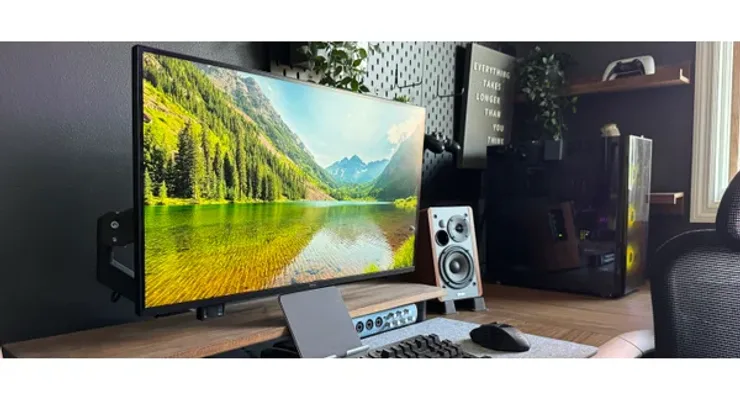 Photo: Dell, TechRadar
The Dell P2725QE is the logical answer for laptop users working from home who want a single cable that delivers 4K video, charges the laptop at 90W, and provides an Ethernet connection to the network. The new Pro Plus model brings 100Hz refresh rate - rare for 27-inch 4K office monitors - making the interface smooth even for users who occasionally game alongside work.
An RJ-45 Ethernet port directly on the monitor is a detail that gets underappreciated until you don't have it. Wireless Wi-Fi in a home office environment means variable speeds; Ethernet through the monitor gives a stable connection without a separate hub or switch. Three USB-A 5Gbps ports complete the picture, turning the monitor into the central point for all peripherals. According to (Source), the USB-C hub functionality is what sets the P2725QE apart from competing 4K models at similar prices.
| Specification | Detail |
|---|---|
| Size/Panel | 27", IPS, 4K UHD (3840x2160) |
| Refresh rate | 100Hz |
| USB-C PD | 90W Power Delivery + DisplayPort Alt Mode |
| Ports | 1x USB-C 90W, 3x USB-A 5Gbps, HDMI 2.1, DP 1.4, RJ-45 Ethernet |
| Color | 99% sRGB, 350 nits, 1.07 Billion colors |
| Ergonomics | Height, tilt, swivel, pivot - fully adjustable stand |
Pros: 4K 100Hz combination rare under 500 EUR, USB-C 90W + Ethernet + 3x USB-A eliminates need for a separate dock, fully adjustable ergonomic stand
Cons: ~499 EUR at the high end of the mid-range segment, HDR400 is basic HDR without a true HDR experience
Our opinion: The P2725QE is for users who replaced a desktop with a laptop and want a single-cable setup. 4K on 27 inches gives 163 PPI - text is noticeably sharper than QHD. 100Hz is not marketing, it's a real difference in OS interface smoothness. For 499 EUR you get a monitor that replaces a dock, hub and cable mess all at once.
2. LG 34WQ75C-B - Best Ultrawide Home Office Monitor
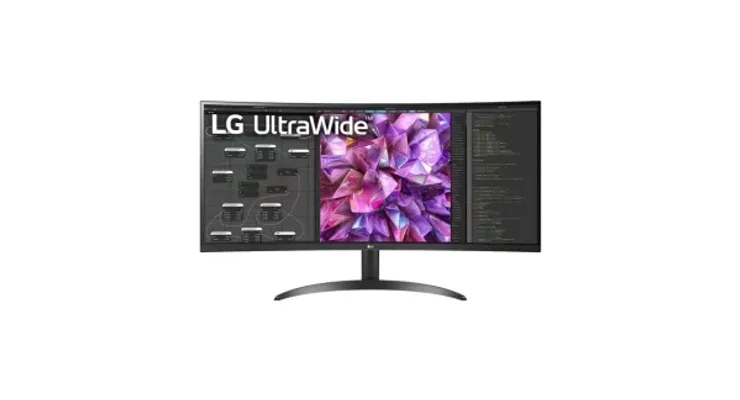 Photo: LG, PCMena
Anyone who has worked with two monitors knows the problem: the bezel in the middle that breaks visual flow between windows. The LG 34WQ75C-B solves this with a 34-inch ultrawide 21:9 format that gives 3440x1440 pixels - horizontally as much space as two 27-inch QHD monitors, but in a single seamless screen. The 1800R curvature means the edges of the screen aren't too far from the eye at a normal working distance.
USB-C 90W charging, an Ethernet LAN port and a KVM switch - controlling two computers with one keyboard and mouse - all live on this monitor simultaneously. For home office users who work with both a desktop and a laptop, that means one fewer hub. MaxxAudio 7W stereo speakers are better than typical built-in speakers for everyday video calls without separate speakers. For productivity and light gaming, the LG 34WQ75C is one of the home office monitors with the best ratio of price to usable screen space.
| Specification | Detail |
|---|---|
| Size/Panel | 34", Curved IPS 1800R, 21:9 (3440x1440) |
| Refresh rate | 100Hz |
| USB-C PD | 90W Power Delivery + LAN (RJ-45) |
| Ports | USB-C 90W, 2x HDMI, DP, RJ-45, USB hub |
| Special | KVM switch, MaxxAudio 7W stereo, HDR10, 99% sRGB |
| Dimensions | Requires desk depth of at least 60 cm |
Pros: Ultrawide 21:9 equivalent to two 27" monitors without a bezel between them, USB-C 90W + Ethernet + KVM all in one, 1800R curved for comfortable wide-angle work
Cons: 3440x1440 lower pixel density than 27" 4K models (109 PPI vs 163 PPI), requires a deep desk
Our opinion: For someone who regularly works with multiple windows - browser + code editor + communication - ultrawide is a productive upgrade, not a luxury. There's no need for a dual monitor setup. 449 EUR for 34-inch curved with USB-C hub is a good price for what you get.
3. Samsung ViewFinity S60UD - Best Value Hub Monitor for Home Office
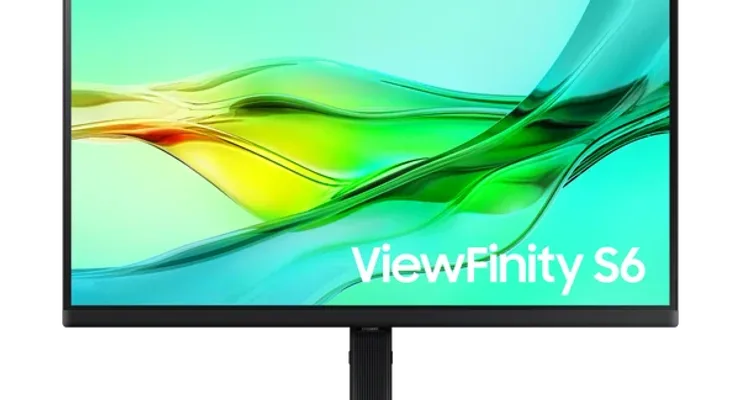 Photo: Samsung, Samsung.com
The Samsung ViewFinity S60UD addresses the problem many home office users have: they want 100Hz, USB-C charging, Ethernet and a KVM switch, but don't want to pay 450-500 EUR. For 329 EUR the S60UD offers all of the above alongside QHD 2560x1440 resolution and Daisy Chain support for chaining two monitors with a single DisplayPort cable.
100Hz on an IPS panel delivers OS interface smoothness visible in everyday work - scrolling documents, window animations. The S60UD is one of the few home office monitors with 100Hz that stays under 350 EUR. A height-adjustable stand and VESA 100x100 compatibility meet standard ergonomic requirements. The downside is Samsung's monitor management software - more limited than BenQ or Dell tools. For users who don't need professional color calibration, that's not an obstacle.
| Specification | Detail |
|---|---|
| Size/Panel | 27", IPS, QHD (2560x1440) |
| Refresh rate | 100Hz |
| USB-C PD | 90W Power Delivery |
| Ports | USB-C 90W, DP, HDMI, RJ-45 LAN, USB hub |
| Special | KVM switch, Daisy Chain, HDR10, height-adjustable stand |
| Ergonomics | Height, tilt, swivel, VESA 100x100 |
Pros: 100Hz + USB-C 90W + KVM + Ethernet in a mid-range package for 329 EUR, Daisy Chain for chaining monitors, QHD 2560x1440 for sharp text
Cons: QHD is not 4K - lower pixel density than Philips 279P1 at a similar price, Samsung software has limited calibration options
Our opinion: The S60UD is a monitor that looks at pricier models and asks "what do you have that's worth 150 EUR more?" - the answer is usually 4K and a slightly better stand. For most users, QHD on 27 inches gives adequate pixel density for text, and the 100Hz and 90W USB-C are the real reasons this model is worth it.
4. BenQ PD2705Q - Most Accurate Monitor for Creative Home Office Work
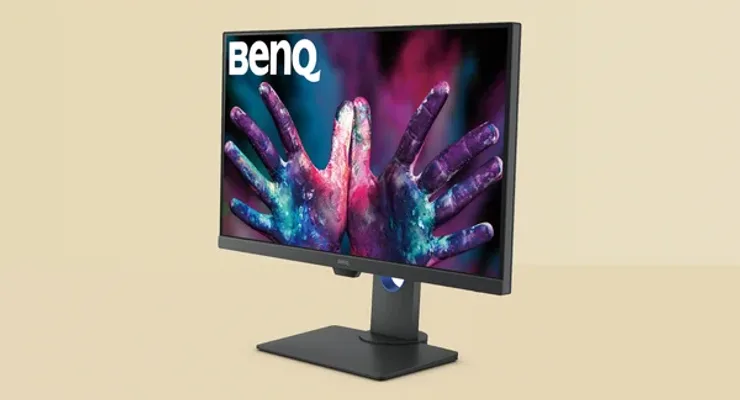 Photo: BenQ, T3
For graphic designers, photographers and video editors working from home, color accuracy is not an aesthetic preference - it's a job requirement. The BenQ PD2705Q offers 100% sRGB with DeltaE less than 3 factory calibration, CalMan and Pantone Validated certification - color on screen matches printed material or the final video without a separate calibrator. With competing monitors, factory calibration usually means DeltaE less than 2 only on more expensive models.
A KVM switch lets you control two computers - say a desktop for rendering and a laptop for communication - with one keyboard and mouse. The Hotkey Puck G3 controller that comes with the monitor gives quick access to color preset profiles for different workflows. USB-C 65W PD is less than the 90W in competing models, but enough for charging most Ultrabook laptops while working. (Source) praises the panel uniformity as one of the better ones in the class.
| Specification | Detail |
|---|---|
| Size/Panel | 27", IPS, QHD (2560x1440) |
| Refresh rate | 60Hz |
| USB-C PD | 65W Power Delivery |
| Color | 100% sRGB, 100% Rec.709, DeltaE less than 3, CalMan + Pantone Validated |
| Special | KVM switch, Hotkey Puck G3, factory calibration |
| Ergonomics | Pivot, height, tilt, swivel |
Pros: DeltaE less than 3 factory calibration - accurate colors straight out of the box without a separate calibrator, Pantone and CalMan certification for professionals, KVM switch
Cons: 60Hz lower than competition in the same class, ~299 EUR for QHD when similar 4K models cost 50 EUR more
Our opinion: The PD2705Q is not for everyone - 60Hz is noticeable if you're used to 100Hz. But for someone opening Lightroom or Premiere and asking whether the color on screen will match the final output, the Pantone Validated certification answers that question. As a home office monitor for creatives, that's worth 299 EUR.
5. LG 27UN880-B UltraFine Ergo - Most Ergonomic Home Office Monitor
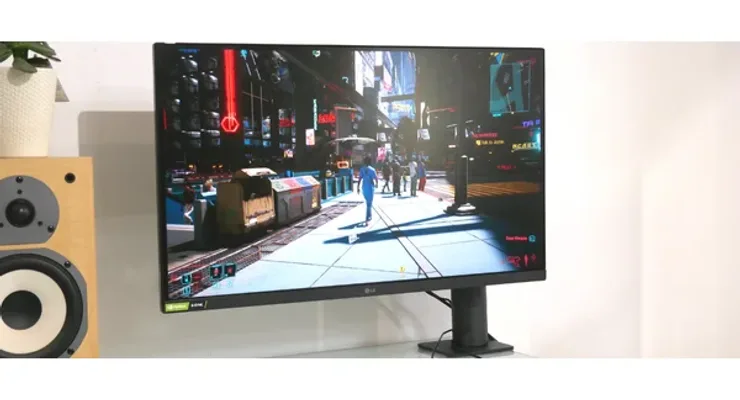 Photo: LG, TechRadar
Most monitors come with a stand, and you buy a monitor arm separately - for 50-100 EUR. The LG 27UN880-B has an Ergo stand that functions like a built-in arm: 280mm extend/retract movement means you can pull the monitor toward you for desk work or push it to the wall when doing something else. Pivot of plus or minus 110 degrees and 355-degree swivel give complete freedom of positioning without a separate monitor arm that normally costs 50-100 EUR.
4K UHD IPS on 27 inches gives 163 PPI - the same pixel density as MacBook Retina displays, sharp for reading text and examining detail in photos. 99% sRGB coverage and DisplayHDR 400 satisfy the requirements of photo and video enthusiasts. USB-C 60W PD is the only minus compared to models offering 90W - enough for thin laptops, but can be marginally insufficient for 15-inch gaming laptops with higher TDP.
| Specification | Detail |
|---|---|
| Size/Panel | 27", IPS, 4K UHD (3840x2160) |
| Refresh rate | 60Hz |
| USB-C PD | 60W Power Delivery |
| Ergo stand | Extend/retract 280mm, pivot plus or minus 110 degrees, height 130mm, swivel 355 degrees |
| Color | DisplayHDR 400, 99% sRGB |
| Ports | USB-C 60W, DP, 2x HDMI, 2x USB-A |
Pros: Built-in Ergo stand with extend/retract function replaces a separate monitor arm, 4K 27" for ~349 EUR is good value, complete positioning flexibility
Cons: 60Hz sufficient for work but not for gaming sessions, 60W USB-C PD less than the 90W offered by some rivals
Our opinion: If you buy an average 4K monitor for 300 EUR and add a decent monitor arm for 80 EUR, you're already at 380 EUR - and the stand won't have extend/retract. The 27UN880-B for 349 EUR with the Ergo stand is the rational choice for ergonomically conscious users. 60Hz is a trade-off, but for home office work it's not an obstacle.
6. Philips 279P1 - Cheapest 4K USB-C Home Office Monitor
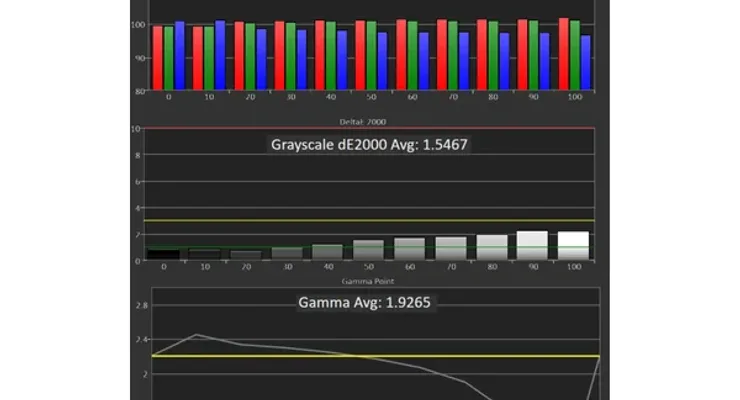 Photo: Philips, Tom's Hardware
The Philips 279P1 is the cheapest way to a 4K IPS monitor with USB-C 90W laptop charging - 249 EUR for a combination that one or two years ago was exclusive to 400+ EUR models. According to (Source), 122% sRGB and factory calibration deliver surprisingly good colors for a budget home office monitor.
Four USB 3.2 downstream ports are rare in the class - they give more USB capacity than many pricier models. PowerSensor automatically reduces brightness when you step away from the screen and restores it when you sit back down - a useful EcoMode feature for energy savings. The stand supports only tilt and height - no swivel or pivot. For portrait mode you'll need a separate arm; for standard landscape setup that's not a problem.
| Specification | Detail |
|---|---|
| Size/Panel | 27", IPS, 4K UHD (3840x2160) |
| Refresh rate | 60Hz |
| USB-C PD | 90W Power Delivery (DP Alt Mode) |
| Ports | USB-C 90W, DP 1.4, 2x HDMI 2.0, 4x USB 3.2, RJ-45 LAN |
| Special | PowerSensor auto-dimming, LowBlue Mode, Flicker-free |
| Color | 122% sRGB, factory calibration |
Pros: Lowest price for 4K IPS + USB-C 90W on the market, 4x USB 3.2 rare in the class, PowerSensor automatic energy savings
Cons: Stand without swivel and pivot - tilt and height only, 60Hz without Adaptive Sync
Our opinion: The 279P1 answers the question "How much does a 4K USB-C home office monitor cost if brand doesn't matter?" - 249 EUR. For laptop users who want a 4K screen and single-cable charging without spending 400+ EUR, this is the logical choice. PowerSensor is a small detail that pays off in practice.
7. Acer Vero B247Y G - Most Affordable Monitor for Office Work from Home
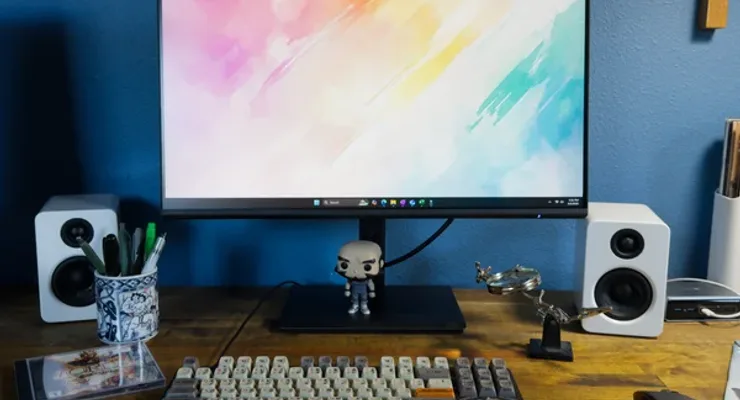 Photo: Acer, PCWorld
For 139 EUR, the Acer Vero B247Y G offers a 24-inch IPS with 120Hz and 99% sRGB - no USB-C, no 4K, but with the smoothness in document and browser work that 60Hz models at the same price lack. 99% sRGB coverage meets the standard for office work. TUV Rheinland Eye Comfort certification and a Low Blue Light filter are relevant for users who sit in front of a screen 8+ hours a day.
The eco-friendly approach - 30% post-consumer recycled plastic in the housing and OceanGlass screen protection - is not a marketing story for this segment. No USB-C is a clear disadvantage for laptop users, but for desktop users or laptops with a separate charger, that's not an obstacle. In the category of affordable home office monitors without USB-C charging, the Acer Vero B247Y G has no direct competition for the combination of 120Hz + IPS. VESA 100x100 mounting allows installation on a separate monitor arm for an ergonomic setup.
| Specification | Detail |
|---|---|
| Size/Panel | 24", IPS, FHD (1920x1080) |
| Refresh rate | 120Hz |
| USB-C PD | None - HDMI 2.0, DP 1.2, VGA |
| Color | 99% sRGB, 250 nits |
| Eco | 30% post-consumer recycled plastic, TUV Eye Comfort |
| Ergonomics | Tilt, VESA 100x100 |
Pros: 120Hz IPS for a budget price - smooth everyday experience, eco-friendly build with recycled materials, 99% sRGB for accurate color display
Cons: No USB-C - HDMI/DP/VGA only, FHD 1920x1080 gives 92 PPI at 24" - lower pixel density than QHD and 4K options
Our opinion: 139 EUR for an IPS monitor with 120Hz and 99% sRGB is an honest offer. It's not for users where 4K is a priority, but for a basic home office setup where the monitor is just a screen - without hub functionality - the Vero B247Y G fills its role without compromising panel quality.
Conclusion: Which Home Office Monitor to Buy in 2026?
The choice of home office monitor in 2026 depends on one key question: do you need hub functionality (USB-C + Ethernet + USB ports) or just a monitor? If you work with a laptop as your primary computer, the Dell P2725QE at 499 EUR or Philips 279P1 at 249 EUR give 4K image and 90W charging with a single cable. If you work with a desktop, the Samsung ViewFinity S60UD at 329 EUR offers 100Hz QHD with an excellent price ratio.
For multitasking users, the LG 34WQ75C-B at 449 EUR ultrawide replaces two 27-inch home office monitors with a single seamless screen. For creatives where color is the priority, the BenQ PD2705Q at 299 EUR offers factory Pantone calibration. The budget home office monitor segment includes the Philips 279P1 (249 EUR, 4K USB-C) and Acer Vero B247Y G (139 EUR, 120Hz IPS FHD).
| User profile | Recommendation | Price |
|---|---|---|
| Budget office work without USB-C | Acer Vero B247Y G | 139.00 EUR |
| Affordable 4K USB-C for laptop users | Philips 279P1 | 249.00 EUR |
| Creative work - color precision | BenQ PD2705Q | 299.00 EUR |
| Mid-range hub with 100Hz | Samsung ViewFinity S60UD | 329.00 EUR |
| Ergonomic 4K setup | LG 27UN880-B Ergo | 349.00 EUR |
| Ultrawide multitasking | LG 34WQ75C-B | 449.00 EUR |
| All-in-one 4K hub for laptops | Dell P2725QE | 499.00 EUR |
Frequently Asked Questions
Which monitor is best for working from home in 2026?
The Dell P2725QE (499 EUR) offers the most complete package: 4K IPS with 100Hz, USB-C 90W laptop charging, Ethernet hub and 3x USB-A in one monitor. For multitasking with multiple windows, the LG 34WQ75C-B with 34-inch ultrawide 21:9 gives the equivalent of two 27-inch monitors without a bezel between them for 449 EUR.
How many inches does a home office monitor need to be?
27 inches is the golden standard for home office monitors - enough screen space for split-screen work without moving your head, but not so large it takes up the whole desk. For users who regularly work with multiple simultaneous windows, 34-inch ultrawide is the logical next step. 24-inch models like the Acer Vero B247Y G are adequate for single-window work on a budget.
Is a 4K monitor needed for a home office?
For working with text and spreadsheets, 4K at 27 inches gives noticeably sharper text than QHD - 163 PPI vs 108 PPI. Not essential for everyone, but for long hours with documents it reduces eye strain. The Philips 279P1 at 249 EUR is the cheapest entry point into a 4K IPS home office monitor with USB-C charging.
What is the difference between IPS, VA and TN panels for work?
IPS panels offer viewing angles up to 178 degrees without color shift - recommended for home office because they allow working from different positions. VA panels have higher contrast (better for dark rooms) but worse angles and slower pixel response for some tasks. TN panels are fastest for gaming but have the worst colors and angles - not recommended for productive work according to (Source).
Is an ultrawide monitor worth it for productivity?
Yes - a 34-inch ultrawide 21:9 screen has horizontally as much space as two 27-inch monitors, but without a bezel between them. The LG 34WQ75C-B at 449 EUR delivers that experience with USB-C 90W and a KVM switch for controlling two computers. For users working with browser + code editor + communication simultaneously, ultrawide is a more productive alternative to a dual monitor setup.
Which monitor do programmers recommend for home office?
Programmers prefer 27-inch 4K monitors for high pixel density when reading code - 163 PPI on 4K vs 108 PPI on QHD. The Dell P2725QE (499 EUR) and Philips 279P1 (249 EUR) offer 4K with USB-C hub functionality. For more space to display files simultaneously, the LG 34WQ75C-B ultrawide with 3440x1440 resolution is a popular choice.
How much does a good home office monitor cost?
The budget home office monitor class starts at 139 EUR (Acer Vero B247Y G, FHD IPS 120Hz) or 249 EUR for 4K USB-C (Philips 279P1). The sweet spot is 300-450 EUR where you find the BenQ PD2705Q, Samsung ViewFinity S60UD and LG 27UN880-B. According to (Source), a 4K IPS monitor with USB-C hub in 2026 doesn't need to cost more than 500 EUR.
How We Tested and Selected
For this guide we analyzed reviews from leading publications - Tom's Guide, RTINGS, Pcworld and - verifying EU market availability for Q1 2026. All tested models are available for purchase in the EU, and prices were verified on Amazon.de and Mall.hr TechRadar.
Selection criteria for home office monitors:
- Availability: Actively available in EU retailers (Amazon.de, Mall.hr, Alza, official webshops)
- Diversity: All price ranges covered (139-499 EUR), sizes (24"/27"/34") and work types
- USB-C hub: Preference for models with USB-C 60W+ PD for laptop users
- Panel quality: IPS minimum, with verified sRGB coverage and ergonomics
- Currency: Models from 2022-2026 with active firmware support
Each monitor evaluated on size/resolution, USB-C PD wattage, stand ergonomics, hub functionality, eye comfort certifications and price-to-performance ratio for home office use.
Sources and References
- Tom's Guide - Best Monitors 2026
- RTINGS - Best Work Monitors 2026
- PCWorld - Best Home Office Monitors 2026
- TechRadar - Best Business Monitor 2026
- Dell P2725QE Review - TechRadar
- Philips 279P1 Review - Tom's Hardware
Related articles: