
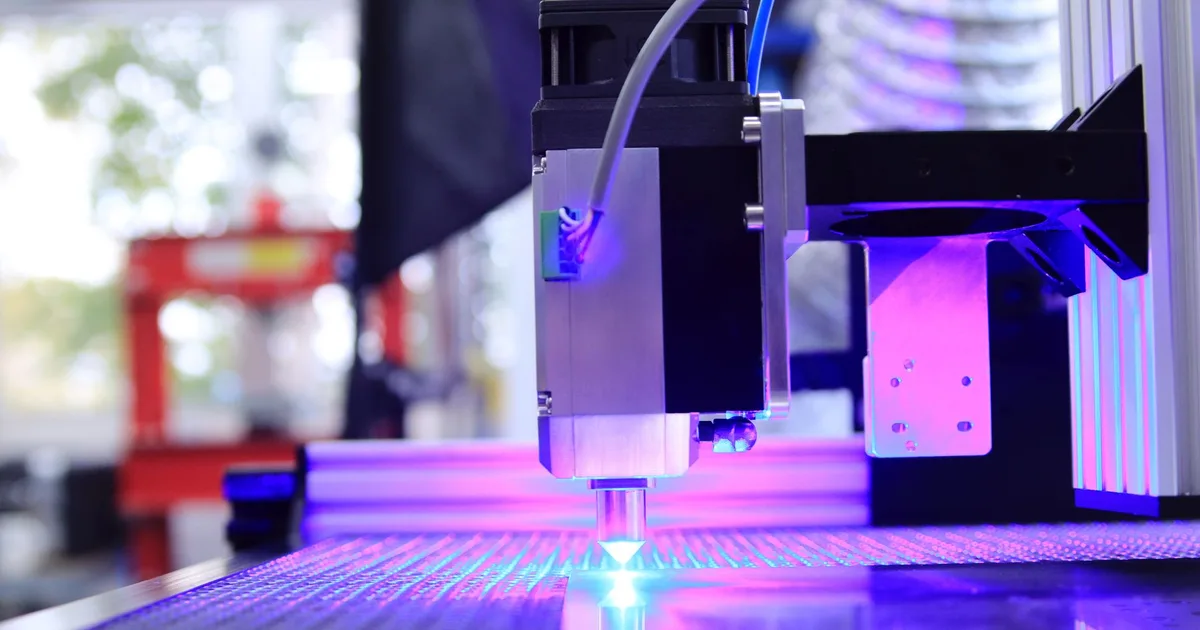

Laser engravers on Amazon.de cost from 219.99 euros for an open 12 W diode laser to 1,499.00 euros for the enclosed 40 W xTool S1. This guide is for hobbyists, small businesses and schools that want to engrave wood, leather or mugs but aren't sure how much power they need or how dangerous a laser is. The best laser engravers of 2027 are the xTool M2 10W as an enclosed Class 1 laser with two cameras (549.00 euros), the 20 W Atomstack A20 Pro V2 for 390.99 euros and the xTool S1 40W for anyone cutting thicker wood (1,499.00 euros). We compared seven models using live prices from 30 October 2026.
Read the safety section before you buy. Open lasers of this power can damage your eyes and ignite material, and some plastics release toxic gases when lasered.
Quick overview: best laser engravers 2027
All laser engravers in this comparison are available on Amazon.de; check delivery to your country in the basket. Click a name for the current price.
| Model | Power (optical) | Work area | Enclosure | Camera | Price | Best for |
|---|---|---|---|---|---|---|
| xTool M2 10W | 10 W | 426 x 320 mm | enclosed, Class 1 | two | 549.00 € | Most users |
| Atomstack A20 Pro V2 | 20 W | 400 x 400 mm | open, Class 4 | no | 390.99 € | 20 W for little money |
| xTool S1 40W | 40 W | 498 x 319 mm | enclosed, Class 1 | no | 1,499.00 € | Cutting thicker wood |
| Creality Falcon A1C 10W | 10 W | 150 x 150 mm | enclosed, Class 1 | AI camera | 429.00 € | Small desk, school |
| Sculpfun iCube Ultra Dual | 12 W + 1.2 W IR | 150 x 135 mm | enclosed, Class 1 | optional | 599.00 € | Metal engraving |
| LaserPecker LP2 | 5 W | 100 x 100 mm | cover, Class 1 | no | 806.00 € | Portable, mugs |
| Atomstack Swift 12W | 12 W | 300 x 300 mm | open | no | 219.99 € | Lowest price |
Data comes from the xTool, Atomstack, Creality, Sculpfun and LaserPecker websites and from the Amazon listings. Power is optical, not electrical, because only optical power tells you what a laser can do.
How to choose laser engravers
Optical power
Laser engravers are compared by optical power, not electrical input power. Manufacturers sometimes put the bigger number in the title. For engraving wood and leather, 5-12 W is enough; for cutting thicker wood you need 20-40 W. According to the manufacturers, the 10 W xTool M2 cuts 8 mm basswood in one pass, and the 20 W Atomstack A20 Pro V2 15 mm paulownia. xTool says the 40 W S1 cuts up to 18 mm of wood, without stating the number of passes.
Laser class and enclosure
According to the FDA, Class 1 lasers are considered non-hazardous, while Class 4 is an immediate hazard to eyes and skin, from both the direct and reflected beam, with a fire risk. All diode laser engravers of this power contain a Class 4 laser. xTool explains that a Class 1 product can contain a Class 4 laser, because the class is set by the enclosure that blocks radiation in normal use. That makes enclosed laser engravers like the xTool M2 and S1 better suited to flats and schools.
Safety glasses
With an open laser, glasses are essential. OSHA says they must match the laser's wavelength and have adequate optical density (OD). Diode engravers work at about 450-455 nm, so you need glasses for that range, such as the Sculpfun SG1 with OD6+. The Atomstack Swift 12W comes with glasses.
Fumes and materials
Laser engravers produce smoke, so you need extraction to the outside or an air purifier. xTool explicitly warns never to laser PVC or chlorine-containing vinyl, polycarbonate, or leather and foam of unknown composition, because they can release toxic fumes or damage the machine. PVC releases hydrogen chloride (HCl) when it breaks down. Buy vinyl labelled "PVC-free".
Fire and supervision
Never leave a laser unattended while it runs. xTool notes that material can catch fire, and some glues in plywood ignite more easily than others. Air assist (blowing air onto the spot) reduces the risk of flames. The xTool M2 has a built-in air pump, and a separate fire safety set is sold for the S1.
Software
Laser engravers mostly run on the manufacturer's own free software. LightBurn, a popular paid program, is supported by Atomstack, Sculpfun and the xTool S1. The xTool M2 lists only xTool Studio.
Permits
We found no special permit or registration requirement for a home Class 4 laser in Croatian or EU rules. That doesn't make the laser harmless: the rules on glasses, fumes and supervision still apply.
1. xTool M2 10W
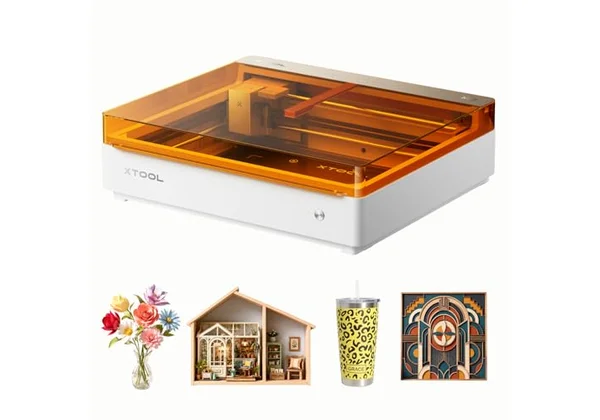 Photo: xTool, Amazon
The xTool M2 10W is our pick for most users. For 549.00 euros you get an enclosed Class 1 laser, certified by TÜV SÜD according to xTool, with two cameras (5 MP panoramic and 2 MP close-up) and autofocus. The work area is 426 x 320 mm, and the speed is up to 600 mm/s.
It has a built-in air pump, and the laser stops when you open the lid. In one pass it cuts 8 mm basswood and 3 mm black acrylic. The module can be swapped for a stronger 20 or 40 W one, a 3 W infrared module or a CMYK printer. It weighs 12.3 kg. It runs on xTool Studio; LightBurn isn't listed.
| Feature | Detail |
|---|---|
| Laser | 10 W diode, 455 nm |
| Work area | 426 x 320 mm |
| Speed | up to 600 mm/s |
| Class | 1 (TÜV SÜD) |
| Camera | 5 MP + 2 MP, autofocus |
| Air assist | built in |
| Cutting | 8 mm basswood, 3 mm black acrylic (1 pass) |
| Weight | 12.3 kg |
| Price | 549.00 € |
Pros: Class 1 and two cameras at a mid-range price, built-in air assist, upgradeable to a stronger laser, infrared module or printer.
Cons: 10 W cuts only 3 mm black acrylic, LightBurn not listed, add-on modules are expensive.
Our opinion: For a flat, a school or a first laser, this is the safest serious option in the comparison. The cameras help you place the design exactly on the object, which makes first projects easier for beginners.
2. Atomstack A20 Pro V2
 Photo: Atomstack, Amazon
The Atomstack A20 Pro V2 is the cheapest 20 W laser in the comparison: 390.99 euros. According to the listing, it cuts 15 mm paulownia and 10 mm black acrylic in one pass, and the work area is 400 x 400 mm (the manufacturer gives 400 x 365 mm). Speed is up to 400 mm/s.
It's an open laser, and the listing explicitly states Class 4. There's a shield around the laser head, and the laser stops if the machine tilts more than 15°. Air assist isn't clearly listed as included. It works with AtomStack Studio, LightBurn and LaserGRBL. It weighs 6 kg.
| Feature | Detail |
|---|---|
| Laser | 20 W diode |
| Work area | 400 x 400 mm (listing) |
| Speed | up to 400 mm/s |
| Class | 4, open |
| Safety | head shield, tilt stop |
| Cutting | 15 mm paulownia, 10 mm black acrylic (1 pass, listing) |
| Software | AtomStack Studio, LightBurn, LaserGRBL |
| Weight | 6 kg |
| Price | 390.99 € |
Pros: 20 W for under 400 euros, large work area, cuts thicker wood, LightBurn support.
Cons: open Class 4 laser, glasses and extraction essential, no camera, air assist not clearly included.
Our opinion: For a garage or workshop with a window, this is a laser that cuts, not just engraves. In a flat without extraction, it's not a good idea.
3. xTool S1 40W
 Photo: xTool, Amazon
The xTool S1 40W is the most powerful laser in the comparison and also enclosed, Class 1. According to xTool, the lid is made of flame-retardant material (UL94-V0) and lets through only 0.35 % of light, so glasses aren't needed. The work area is 498 x 319 mm, and up to 470 x 3,000 mm with the conveyor feeder.
Speed is up to 600 mm/s, and xTool states cutting up to 18 mm of wood. It has autofocus, and the laser stops when you open the lid. There's no camera, and the fire safety set and 2 W infrared module are sold separately. It weighs 20 kg. It supports xTool Creative Space and LightBurn.
| Feature | Detail |
|---|---|
| Laser | 40 W diode, optional 2 W IR |
| Work area | 498 x 319 mm |
| Speed | up to 600 mm/s |
| Class | 1 |
| Lid | UL94-V0, lets through 0.35 % of light |
| Cutting | up to 18 mm wood (xTool) |
| Software | xTool Creative Space, LightBurn |
| Weight | 20 kg |
| Price | 1,499.00 € |
Pros: 40 W in a Class 1 enclosure, large work area, autofocus, LightBurn.
Cons: expensive and heavy, no camera, fire safety set costs extra, still needs extraction.
Our opinion: For a small business that cuts and engraves every day, 40 W and the conveyor feeder mean fewer passes and less waiting. For occasional gift engraving it's overkill.
4. Creality Falcon A1C 10W
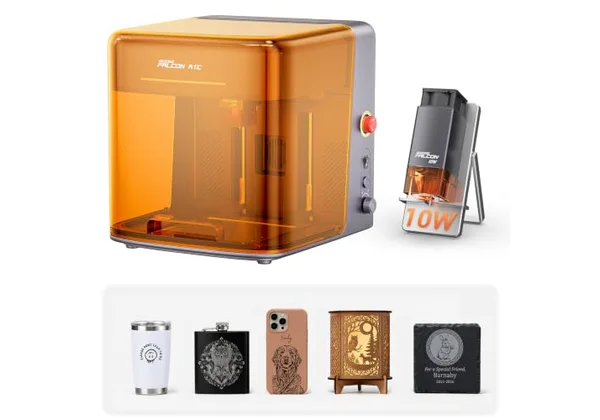 Photo: Creality, Amazon
The Creality Falcon A1C 10W is the cheapest enclosed Class 1 laser with a camera in the comparison: 429.00 euros. It's compact, with a 150 x 150 mm work area and up to 148 mm height, so it fits on a desk. The built-in AI camera recognises the material and positions the design.
The laser module is swappable: 5 W, 10 W or a 1.2 W infrared one for metal and plastic. Speed is up to 15,000 mm/min, and it has autofocus. It runs on Falcon Design Space. According to Creality the enclosure is Class 1, but the manufacturer doesn't publish weight, cutting depth or connectivity.
| Feature | Detail |
|---|---|
| Laser | 10 W diode, swappable modules |
| Work area | 150 x 150 mm |
| Speed | up to 15,000 mm/min |
| Class | 1 |
| Camera | AI camera, autofocus |
| Software | Falcon Design Space |
| Price | 429.00 € |
Pros: cheapest enclosed laser with a camera in the comparison, compact, swappable modules.
Cons: small 150 x 150 mm work area, much data unpublished, infrared module costs extra.
Our opinion: For a school workshop or engraving keyrings and gifts, this is a safe and affordable start. For bigger boards, look at the xTool M2.
5. Sculpfun iCube Ultra Dual
 Photo: Sculpfun, Amazon
The Sculpfun iCube Ultra Dual is the choice for engraving metal. Besides a 12 W diode laser it has a 1.2 W infrared one, which according to Sculpfun marks gold, silver, titanium, aluminium, brass and stainless steel. The enclosure is Class 1, with a built-in smoke filter (HEPA and activated carbon).
The work area is 150 x 135 mm, and objects can be up to 80 mm tall. The laser pauses when you open the door, and there's an emergency stop, a temperature sensor and a USB safety key. The diode laser cuts 10 mm paulownia in one pass. A camera and air assist are extras. It weighs 6.3 kg and works with LightBurn.
| Feature | Detail |
|---|---|
| Laser | 12 W diode + 1.2 W IR |
| Work area | 150 x 135 mm |
| Class | 1 |
| Smoke filter | built in, HEPA + activated carbon |
| Safety | door pause, emergency stop, USB key |
| Cutting | 10 mm paulownia (1 pass) |
| Software | Sculpfun App, LightBurn, LaserGRBL |
| Weight | 6.3 kg |
| Price | 599.00 € |
Pros: marks bare metal in a Class 1 enclosure, built-in smoke filter, compact, LightBurn.
Cons: small work area, camera and air assist cost extra, 1.2 W IR is for marking only.
Our opinion: For engraving jewellery, keyrings and tools, this is the only model in the selection with an IR laser without buying an extra module. For wooden boards it's too small.
6. LaserPecker LP2
 Photo: LaserPecker, Amazon
The LaserPecker LP2 is a portable laser for engraving mugs, bottles and small objects. It has a 5 W diode laser and a 100 x 100 mm area, or up to 100 x 2,000 mm with the electric roller from the kit. It's controlled with an app over Bluetooth.
Class 1 applies only with the safety cover, which is in this bundle. According to the listing, the cover filters 99.99 % of laser radiation, and the laser stops on tilt, vibration or overheating. It cuts wood, paper, acrylic and leather up to 5 mm. According to LaserPecker it also engraves oxidised aluminium and 304 stainless steel.
| Feature | Detail |
|---|---|
| Laser | 5 W diode, 450 nm |
| Work area | 100 x 100 mm (100 x 2,000 mm with roller) |
| Speed | 6-600 mm/s |
| Class | 1 with safety cover |
| Cutting | up to 5 mm |
| Control | app, Bluetooth 5.0 |
| Included | cover, mug roller |
| Price | 806.00 € |
Pros: portable, roller for mugs and bottles included, Class 1 with cover, simple app.
Cons: only 5 W and a small area, expensive per watt, LightBurn not listed.
Our opinion: For personalised mugs and gifts at markets, this is a practical tool. For engraving larger boards, the same money buys a much stronger machine.
7. Atomstack Swift 12W
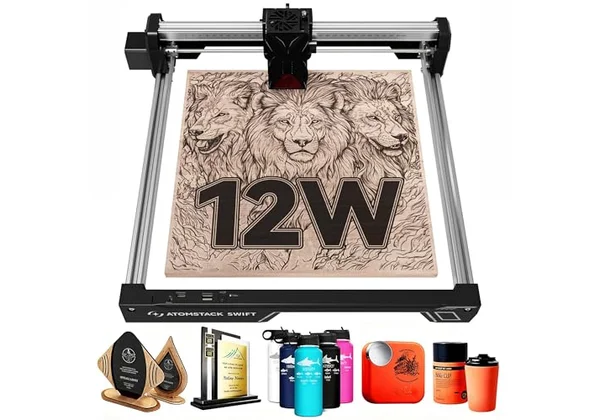 Photo: Atomstack, Amazon
The Atomstack Swift 12W is the cheapest laser engraver in the comparison: 219.99 euros. According to the listing, it delivers 12 W of optical power, with a 300 x 300 mm work area and speeds up to 400 mm/s. It's light, 2.8 kg, and quick to assemble.
It's an open laser without an enclosure, and safety glasses are included. Air assist isn't included, and there's no camera. According to the listing, it cuts 8 mm wood and 4 mm acrylic; the number of passes isn't stated. It works with AtomStack Studio, LightBurn and LaserGRBL over Bluetooth, USB or Wi-Fi.
| Feature | Detail |
|---|---|
| Laser | 12 W diode |
| Work area | 300 x 300 mm |
| Speed | up to 400 mm/s |
| Enclosure | open frame |
| Cutting | 8 mm wood, 4 mm acrylic (listing) |
| Software | AtomStack Studio, LightBurn, LaserGRBL |
| Included | safety glasses |
| Weight | 2.8 kg |
| Price | 219.99 € |
Pros: lowest price, light, glasses included, LightBurn support.
Cons: open laser, so glasses and supervision are essential, no air assist or camera, small work area.
Our opinion: For trying laser engraving in the garage, this is the cheapest way in. Add fume extraction to the price and a place where the laser won't bother the household.
Conclusion: which laser engravers to choose?
For most users the best choice is the xTool M2 10W at 549.00 euros: enclosed, Class 1 and with two cameras. The Atomstack A20 Pro V2 gives 20 W for under 400 euros but is open, and the xTool S1 40W combines power and an enclosure for a small business. The laser engravers for special uses are the Sculpfun iCube Ultra Dual for metal and the LaserPecker LP2 for mugs, and the cheapest way in is the Atomstack Swift 12W.
| If you care about | Choose | Price |
|---|---|---|
| Safe and versatile | xTool M2 10W | 549.00 € |
| 20 W under 400 euros | Atomstack A20 Pro V2 | 390.99 € |
| Cutting thicker wood, enclosed | xTool S1 40W | 1,499.00 € |
| Small desk, school | Creality Falcon A1C 10W | 429.00 € |
| Metal engraving | Sculpfun iCube Ultra Dual | 599.00 € |
| Mugs and portable use | LaserPecker LP2 | 806.00 € |
| Lowest price | Atomstack Swift 12W | 219.99 € |
If you're into making things, also look at 3D printers, and for the workshop, table saws.
Frequently asked questions
Are laser engravers dangerous?
Diode lasers of this power are Class 4, which according to the FDA means an immediate hazard to eyes and skin, including from a reflected beam, and a fire risk. Enclosed Class 1 models contain the same laser, but the enclosure makes them safe in normal use.
Do I need safety glasses?
For open lasers, yes. The glasses must match the laser's wavelength, around 450-455 nm for diode lasers, and have sufficient optical density, for example OD6+. For the enclosed xTool S1, the manufacturer says glasses aren't needed because the lid lets through only 0.35 % of light.
How do I deal with fumes from engraving?
The laser produces smoke, so you need extraction to the outside through a window or an air purifier. Some models, like the Sculpfun iCube Ultra Dual, have a built-in filter. Never laser PVC, chlorine-containing vinyl or polycarbonate.
What materials can laser engravers handle?
Diode lasers engrave and cut wood, plywood, leather, paper, felt and opaque dark acrylic, and engrave glass, ceramics and coated metal. Bare metal needs an infrared laser. Never laser PVC, chlorine-containing vinyl, polycarbonate, or leather and foam of unknown composition.
How many watts do laser engravers need?
For engraving wood, leather and gifts, 5-12 W of optical power is enough. For cutting plywood and thicker wood, you need 20-40 W. Look at optical, not electrical, power.
Which software should I use?
Every manufacturer has free software: xTool Studio or Creative Space, AtomStack Studio, Falcon Design Space, and the Sculpfun and LaserPecker apps. The paid LightBurn is supported by Atomstack, Sculpfun and the xTool S1.
How we tested
For this comparison we chose laser engravers by optical power, work area, laser class and enclosure, safety features, camera and price. We reviewed 12 models available on Amazon.de and checked every ASIN through Amazon's API. Specifications come from the manufacturers' websites and the Amazon listings; where they differ, we give both figures. Safety information comes from the FDA, OSHA and manufacturer guidance. We left out the xTool F1 Ultra and F2, because they are listed on Amazon.de for commercial use only, plus the Atomstack A40 Pro V2 (799.99 euros), Sculpfun E1 (469.00 euros) and LaserPecker LP4 (1,299.00 euros). Prices are live Amazon.de prices from 30 October 2026. We did not physically test the engravers.
Sources
- FDA - laser products and classes
- OSHA - laser hazards
- xTool - laser classification and safety
- xTool - materials you must not laser
- Wikipedia - Polyvinyl chloride
- xTool M2
- xTool S1
- Creality Falcon A1C
- Sculpfun iCube Ultra
- LaserPecker LP2
Related articles: