
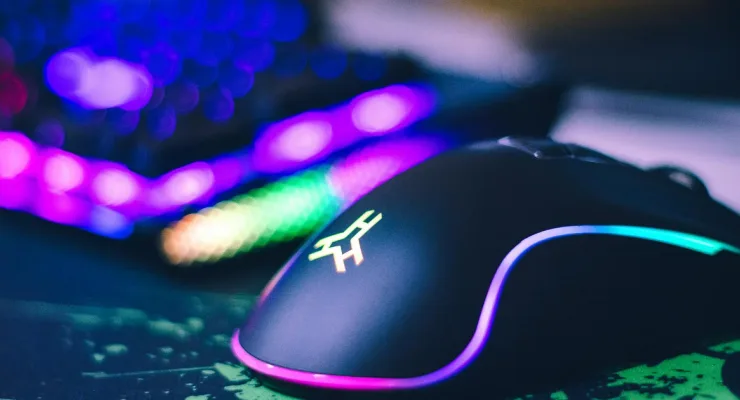

One hundred euros is a strange threshold for gaming mice. Below it you can now find wireless models with 250 hours of battery life, ultralight esports mice at 36 grams, and 8000Hz polling rates that were only available on 150+ EUR models a year ago. We picked 7 gaming mice under 100 euros available in the EU in 2026, with a focus on price-to-performance across different play styles.
Quick overview: gaming mice under 100 euros
| Model | Price | Connection | Weight | Best for |
|---|---|---|---|---|
| Logitech G305 LIGHTSPEED | 45.99 EUR | Wireless 2.4GHz | 99 g | Budget wireless FPS/MOBA |
| Razer DeathAdder V2 | 59.99 EUR | Wired | 88 g | Competitive FPS, palm grip |
| SteelSeries Rival 3 | 34.99 EUR | Wired | 90 g | Beginners, budget gaming |
| Turtle Beach Kone II | 69.99 EUR | Wired | 90 g | Large hand, MMO/MOBA |
| Roccat Kone Air | 69.99 EUR | Wireless + Bluetooth | 119 g | MMO, casual, multi-device |
| Corsair Sabre V2 Pro Ultralight | 94.99 EUR | Wireless 2.4GHz | 36 g | Esports FPS, fingertip grip |
| Fnatic x Lamzu Maya 8K | 84.99 EUR | Wireless + USB-C | 47 g | Esports, smaller hand |
1. Logitech G305 LIGHTSPEED - Best wireless gaming mouse under 50 euros
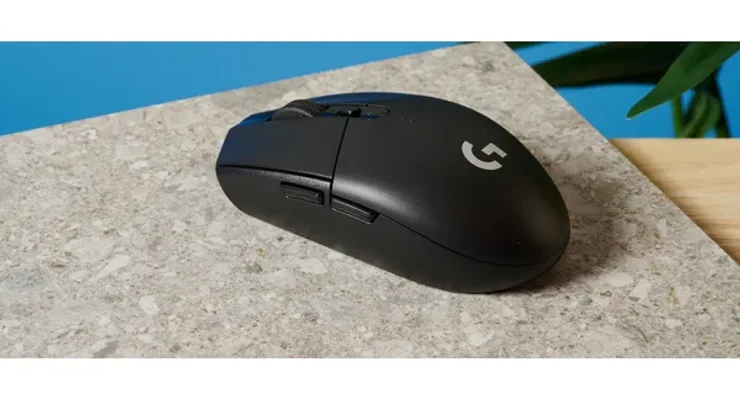 Photo: Logitech, Tom's Guide
The Logitech G305 was long the "secret" pick of competitive players who did not want to spend 150+ EUR on a wireless mouse. For 45.99 EUR you get the HERO 12K sensor with zero acceleration and LIGHTSPEED wireless connection under 1ms latency - on par with expensive models. A 250-hour battery means one AA battery every 8 weeks with daily gaming.
The shape is a classic right-hand ergonomic design for medium to large hands. No RGB lighting, which directly extends battery life. The HERO 12K sensor is exactly the same one Logitech puts in their pricier models - that is not common among gaming mice under 100 euros.
| Spec | Detail |
|---|---|
| Sensor | HERO 12K optical, 400 IPS, 0 acceleration |
| DPI range | 100-12,000 DPI |
| Connection | Wireless 2.4GHz LIGHTSPEED |
| Weight | 99 g (with AA battery) |
| Battery | 250 hours (1 AA battery) |
| Polling rate | 1000Hz |
| Buttons | 6 programmable |
Pros: outstanding wireless performance for the price, 250-hour battery has no competition, HERO 12K sensor with zero acceleration
Cons: 99g relatively heavy due to AA battery, not rechargeable - requires buying batteries
Our opinion: The G305 is one of the few mice that delivers wireless freedom without compromising on performance - and for 46 EUR. If you want a wireless gaming mouse under 50 euros, there is nothing better. For FPS titles like CS2 or Valorant, the HERO 12K sensor holds up even at competitive level. The only real downside is weight - 99g is fine, but ultralight enthusiasts will notice the difference versus the 36-47g models lower on the list.
2. Razer DeathAdder V2 - A classic for competitive FPS
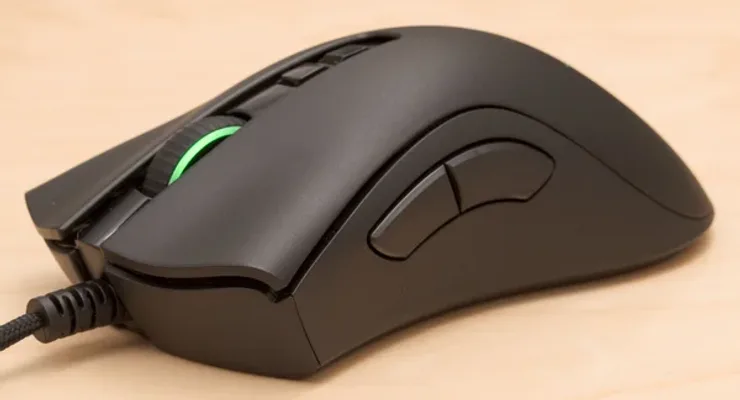 Photo: Razer, Tom's Hardware
The DeathAdder series is among the best-selling gaming mice in history, and the V2 shows why. The right-hand ergonomic shape with a raised hump for palm grip provides a natural wrist position that reduces fatigue in long sessions. The Focus Pro 20K sensor (Source) delivers precision matching flagship mice that cost twice as much.
The SpeedFlex cable is the difference between a wired mouse that irritates and one that does not. It is as flexible as a charging cable - almost no resistance when moving, which means in practice it behaves like wireless in terms of freedom of movement. Optical switches with 0.2ms actuation and a 70 million click guarantee mean this mouse lasts for years without double-click issues.
| Spec | Detail |
|---|---|
| Sensor | Focus Pro 20K optical, 99.6% accuracy |
| DPI range | 100-20,000 DPI |
| Connection | Wired (SpeedFlex cable, 1.8m) |
| Weight | 88 g |
| Polling rate | 1000Hz |
| Buttons | 8 programmable |
| Switches | Optical, 0.2ms, 70M clicks |
Pros: Focus Pro 20K sensor with flagship precision, SpeedFlex cable minimizes resistance, optical switches with 70M click rating and no double-click problems
Cons: wired only (wireless DeathAdder V3 Pro is 130+ EUR), side buttons have slight lateral wobble under pressure
Our opinion: For 60 EUR you get a sensor with no reason to envy 150 EUR models. The DeathAdder V2 is ideal for players who prefer palm grip and a wired connection without precision trade-offs. The SpeedFlex cable is something you need to feel in person - only then do you understand how much standard cables annoy you. The only downside is that the wireless version costs twice as much, but wired is the preferred choice for competitive play anyway.
3. SteelSeries Rival 3 - The cheapest gaming mouse that does not feel cheap
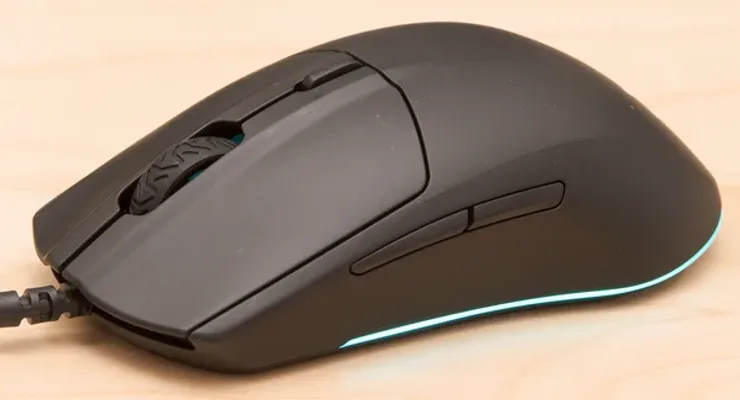 Photo: SteelSeries, Tom's Guide
For 35 EUR, the Rival 3 looks and feels like it should cost twice as much. The TrueMove Core sensor handles everything except the most competitive FPS play, the RGB lighting is present and looks good, and the plastic does not feel cheap - which is rare at this price point.
The rubberized cable drags more than braided alternatives - the only trade-off you really notice. A max DPI of 8,500 CPI is fine for the vast majority of players but not for high DPI settings. As the cheapest option in the gaming mice under 100 euros category that does not look cheap, the Rival 3 is a solid starting point.
| Spec | Detail |
|---|---|
| Sensor | TrueMove Core optical, 300 IPS, 35G |
| DPI range | 100-8,500 CPI |
| Connection | Wired USB, 1.8m |
| Weight | 88-92 g |
| Polling rate | 1000Hz |
| Buttons | 6 + scroll wheel tilt |
| Lighting | RGB |
Pros: under 35 EUR with RGB lighting, premium build quality for the price, competitive TrueMove Core sensor
Cons: max 8,500 DPI - limited for high sensitivity settings, rubberized cable with more drag than braided alternatives
Our opinion: The Rival 3 is a great entry gaming mouse for those upgrading from an office mouse. The sensor handles casual to semi-competitive play well, and at 35 EUR there is minimal risk. If you already know what you need - a specific grip, weight, wireless connection - you will probably jump straight to a better model. But as an introduction to gaming peripherals, few things beat this for the price.
4. Turtle Beach Kone II - Ergonomic champion for large hands
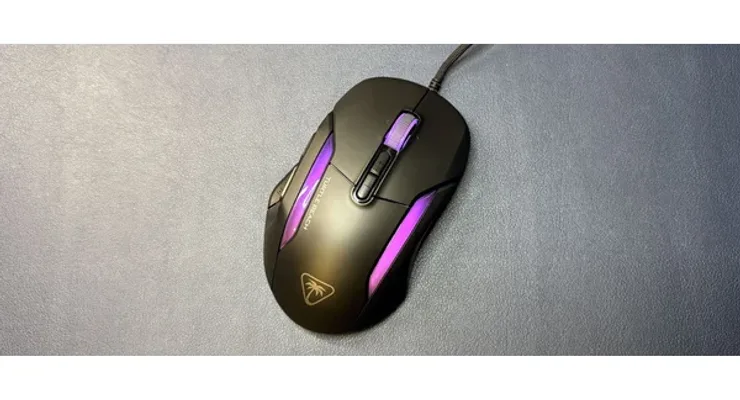 Photo: Turtle Beach, PCWorld
The Kone II is a mouse for players with large hands and palm grip who want more than standard gaming mice under 100 euros offer - ergonomically contoured for the right hand, an Owl-Eye 26K sensor, and a 4-way scroll wheel you rarely see under 100 EUR. Turtle Beach kept the legendary ROCCAT Kone design and upgraded it with TITAN optical switches rated for 100 million clicks.
The Easy-Shift mechanism turns 7 physical buttons into 17 programmable inputs - without software, all configured on the mouse itself. For MMO players who need a lot of bindings without adding a numpad, it is more practical than it sounds. The 4-way scroll wheel (up/down/left/right) is a detail you rarely see under 100 EUR.
| Spec | Detail |
|---|---|
| Sensor | Owl-Eye 26K optical, 650 IPS, 50G |
| DPI range | 100-26,000 DPI |
| Connection | Wired |
| Weight | 90 g |
| Polling rate | 1000Hz |
| Buttons | 7 + 4-way scroll (17 with Easy-Shift) |
| Switches | TITAN optical, 100M clicks |
Pros: ergonomically ideal for large hand and palm grip, 4-way scroll wheel rare in this class, TITAN optical switches rated for 100M clicks
Cons: large and heavy - not suited for small hands or fingertip grip, no wireless version
Our opinion: The Kone II is a specific mouse for a specific type of player - someone with a large hand who spends hours in MMO or MOBA titles and needs all bindings on one mouse without extra peripherals. For that profile, 70 EUR is great value. For everyone else - especially FPS players who prefer a smaller mouse and fingertip grip - there are better choices on this list.
5. Roccat Kone Air - 800 hours of battery and Bluetooth in one package
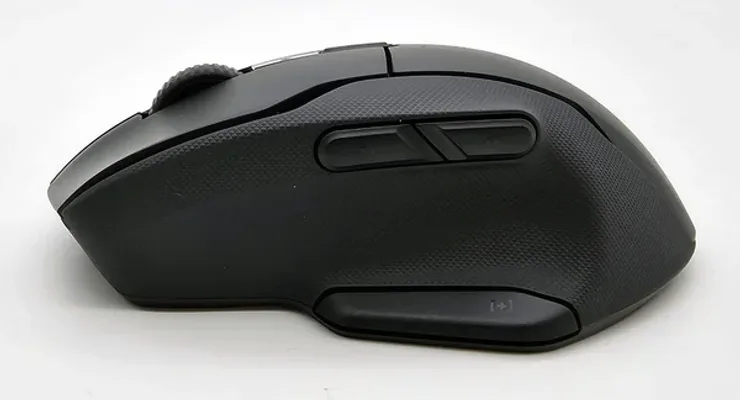 Photo: Roccat, Trusted Reviews
The Roccat Kone Air solves the problem that frustrates everyone buying wireless gaming mice under 100 euros: battery that lasts weeks, not hours. With two AA batteries, the Kone Air achieves 800+ hours - which is (Source) a record in the under-100 EUR class. Plus a 2.4GHz gaming connection and Bluetooth 5.1, so you can use it with a laptop without a USB receiver.
Dual connection is a practical detail that gets underestimated - 2.4GHz for gaming with sub-1ms latency, Bluetooth for a laptop or tablet without occupying a USB port. Easy-Shift+ expands 9 physical buttons to 17 programmable inputs, similar to the Kone II desktop version. The trade-off is weight - with batteries it comes in at 119g, on the high end, especially for FPS play.
| Spec | Detail |
|---|---|
| Sensor | Titan Switch Optical, 50G |
| DPI range | 100-19,000 DPI |
| Connection | Wireless 2.4GHz + Bluetooth 5.1 |
| Weight | 96 g (without) / 119 g (with 2 AA) |
| Battery | 800+ hours (2 AA batteries) |
| Polling rate | 1000Hz |
| Buttons | 9 (17 with Easy-Shift+) |
Pros: 800-hour battery - record in the under-100 EUR class, dual connection 2.4GHz and Bluetooth for multi-device, 9 buttons expandable to 17 with Easy-Shift+
Cons: 119g with batteries makes it the heaviest on the list, 2 AA batteries mean ongoing costs
Our opinion: If battery life and multi-device connectivity are your top priorities, the Kone Air has no real competition at this price. 800 hours means you change batteries about every 6 months. The 119g is a trade-off you need to accept knowingly. For casual gaming, MMO, and hybrid office/gaming use - excellent. For competitive FPS - the Logitech G305 or Fnatic Maya are smarter choices.
6. Corsair Sabre V2 Pro Ultralight - 36 grams of wireless esports hardware
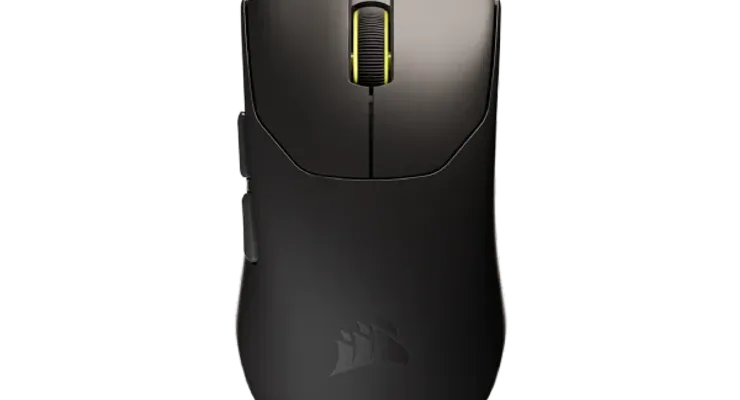 Photo: Corsair, Tom's Guide
36 grams. That is the Corsair Sabre V2 Pro Ultralight - lightest in the gaming mice under 100 euros category and the only one with an 8000Hz hyper-polling rate that until recently was only available on 150+ EUR models. 8000Hz means the mouse sends its position 8000 times per second instead of the standard 1000Hz, with 0.125ms latency that is practically indistinguishable from a direct cable. For esports titles where every millisecond counts, this matters.
The MARKSMAN S sensor at 33,000 DPI and 750 IPS delivers precision that covers all skill levels, and the 70+ hour battery is sufficient for weeks of gaming at standard use. The one trade-off is the symmetrical shape without ergonomic contouring - for players used to ergonomic mice like the DeathAdder, the adjustment takes a few days.
| Spec | Detail |
|---|---|
| Sensor | CORSAIR MARKSMAN S optical, 750 IPS, 50G |
| DPI range | 100-33,000 DPI |
| Connection | Wireless 2.4GHz |
| Weight | 36 g |
| Battery | 70+ hours |
| Polling rate | 8000Hz (0.125ms) |
| Buttons | 6 programmable |
Pros: 36g lightest wireless gaming mouse on the list, 8000Hz hyper-polling for esports-level latency, 70+ hour battery
Cons: symmetrical shape without ergonomic contouring - adjustment needed for palm grip users, price ~95 EUR at the upper edge of the budget
Our opinion: The Sabre V2 Pro Ultralight is a mouse that esports pros were paying 200+ EUR for a year ago - and now it costs 95 EUR. 36g and 8000Hz are specs that were a luxury until recently. For players who actively play competitive FPS, this is likely the smartest investment on the list, even at the borderline price of 95 EUR. For casual gaming - too much for too little benefit.
7. Fnatic x Lamzu Maya 8K - Professional esports mouse for smaller hands
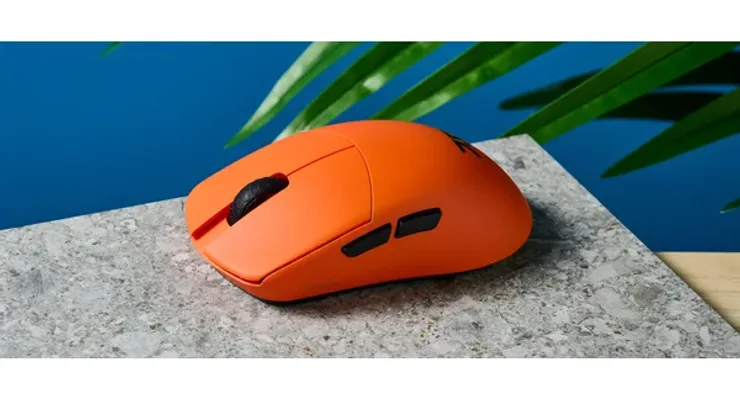 Photo: Fnatic, Tom's Guide
Fnatic is an esports team that started making peripherals in collaboration with Lamzu, and the result is the Maya 8K - 47 grams, PixArt 3950 sensor, 8000Hz polling, and dual connection (wireless 2.4GHz + USB-C wired) for 84.99 EUR. According to (Source), one of the most complete esports options below 100 EUR.
Omron optical switches deliver fast and precise actuation, and the 80-hour battery at 1000Hz is sufficient for a week of use. Dual connection is especially valued at tournaments where organizers require a wired connection - just plug in the USB-C cable and continue without interruption. The size is optimized for small to medium hands - the one downside in this gaming mice under 100 euros category.
| Spec | Detail |
|---|---|
| Sensor | PixArt 3950 optical |
| DPI range | 100-26,000 DPI |
| Connection | Wireless 2.4GHz + USB-C wired |
| Weight | 47 g |
| Battery | 80 hours (at 1000Hz) |
| Polling rate | 8000Hz |
| Buttons | 6, Omron optical switches |
Pros: 47g ultralight for fast flick movements, 8000Hz polling at professional level, dual wireless and USB-C wired for tournaments
Cons: smaller shape not suitable for large hands, PixArt 3950 solid but below the 3395 found in pricier models
Our opinion: The Maya 8K is for a specific type of player who knows what they want - an ultralight esports mouse with 8000Hz for competitive FPS. For that profile, 85 EUR is excellent value and hard to beat in this segment. For players who do not play competitively, 8000Hz polling has no measurable benefit in everyday gaming, and the Logitech G305 or Razer DeathAdder V2 are smarter choices.
Conclusion: which gaming mouse under 100 euros should you choose?
It all comes down to one question: wired or wireless, and how seriously do you game. For budget wireless gaming, the Logitech G305 at 46 EUR offers LIGHTSPEED connectivity and 250 hours of battery - hard to beat in the gaming mice under 100 euros segment. For competitive FPS with a cable, the Razer DeathAdder V2 at 60 EUR gives you the Focus Pro 20K sensor and SpeedFlex cable - the only reasons wired connections still make sense.
If the budget is limited to 35 EUR, the SteelSeries Rival 3 is a solid first step. For large hands with MMO needs, the Turtle Beach Kone II at 70 EUR delivers the ergonomics and 17 programmable inputs. For esports performance within the gaming mice under 100 euros budget - 36g and 8000Hz polling - the Corsair Sabre V2 Pro at 95 EUR or the Fnatic Maya 8K at 85 EUR are currently the only choices offering those specs.
| User profile | Recommendation | Price |
|---|---|---|
| Wireless gaming on a budget | Logitech G305 | 45.99 EUR |
| Competitive FPS, palm grip | Razer DeathAdder V2 | 59.99 EUR |
| Beginners, smallest budget | SteelSeries Rival 3 | 34.99 EUR |
| Large hand, MMO/MOBA | Turtle Beach Kone II | 69.99 EUR |
| Long battery, multi-device | Roccat Kone Air | 69.99 EUR |
| Esports, lightest wireless | Corsair Sabre V2 Pro | 94.99 EUR |
| Esports, small hand, tournaments | Fnatic x Lamzu Maya 8K | 84.99 EUR |
Frequently Asked Questions
Which gaming mouse gives the best value under 100 EUR?
The Logitech G305 at 45.99 EUR offers wireless LIGHTSPEED connectivity with under 1ms latency and the HERO 12K sensor - same specs as mice costing twice as much. For a wired option, the Razer DeathAdder V2 at 59.99 EUR delivers the flagship Focus Pro 20K sensor and SpeedFlex cable that are identical to the 130 EUR model.
Is a wireless gaming mouse good for competitive play?
Yes - modern wireless gaming mice with 2.4GHz connections like Logitech LIGHTSPEED and Corsair SLIPSTREAM have under 1ms latency, the same as wired models. At 8000Hz polling rate (Corsair Sabre V2 Pro, Fnatic Maya 8K) latency is 0.125ms - measurably no different from wired. Bluetooth connection has higher latency and is not recommended for competitive play.
How much DPI does a gaming mouse need for FPS games?
Most professional FPS players use 400-1600 DPI despite sensors reaching 12,000-33,000 DPI. High DPI means faster cursor movement but less precision on fine movements. For FPS titles like CS2 or Valorant, 400-800 DPI with low in-game sensitivity is the standard setup for professionals.
What is the difference between optical and laser sensors?
Optical sensors use LED light and work with zero acceleration on textured surfaces - preferred by 95% of professional players. Laser sensors have a theoretically higher DPI range but introduce micro-acceleration on some surfaces which reduces precision. All mice on this list use optical sensors, which is today's industry standard for gaming.
Which gaming mouse is best for large hands?
The Turtle Beach Kone II (69.99 EUR) is ergonomically designed specifically for a large right hand with palm grip - the dorsal contour follows the shape of a larger hand better than the competition. For medium to large hands, the Razer DeathAdder V2 and Logitech G305 are good options. The Fnatic x Lamzu Maya 8K and Corsair Sabre V2 Pro are optimized for small to medium hands.
Does a gaming mouse need RGB lighting?
RGB lighting has no effect on performance - it is purely aesthetic. The SteelSeries Rival 3 and Logitech G305 have RGB. The Corsair Sabre V2 Pro and Fnatic Maya 8K do not, which directly contributes to lower weight and longer battery life. For competitive gaming, RGB is usually turned off since it creates distraction.
How long does the battery last on a wireless gaming mouse?
Battery life varies by model: Logitech G305 - 250 hours (1 AA), Roccat Kone Air - 800 hours (2 AA), Corsair Sabre V2 Pro - 70 hours (built-in, USB-C charging), Fnatic x Lamzu Maya 8K - 80 hours at 1000Hz. At 8000Hz polling rate the battery drains faster - Corsair drops to around 20-30 hours. For 3-4 hours of gaming per day, AA battery mice last weeks between changes.
How we tested and selected
For this guide on gaming mice under 100 euros, we analyzed reviews from leading gaming peripheral publications - Tom's Guide, RTINGS - along with EU price and availability verification in Q1 2026. All models passed these criteria:
- Price: Maximum 100 EUR from EU retailers (Amazon.de, MediaMarkt, Saturn, official webshops)
- Availability: Actively available to order in the EU, not just the US
- Recency: Models from the 2023-2026 generation, no outdated models with poor sensors
- Variety: Mix of wireless and wired, different sizes and grips, different use cases
- Sensor quality: Only optical sensors with no known acceleration or tracking errors