
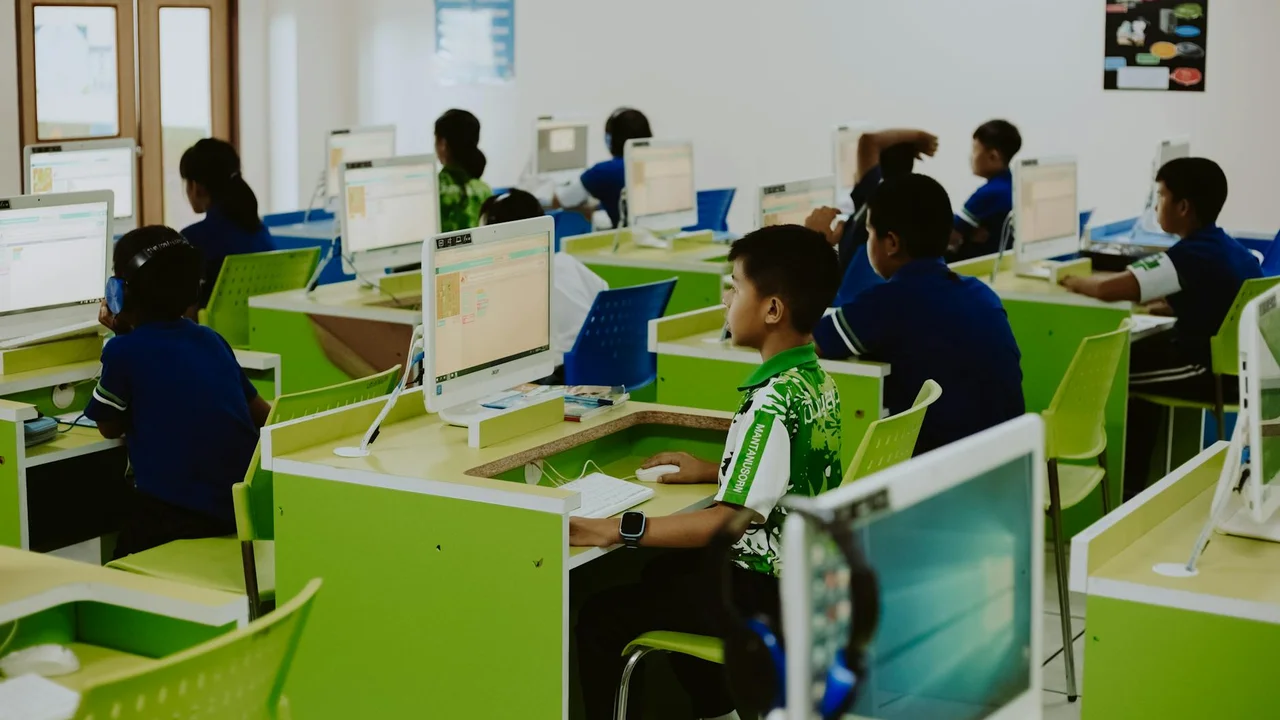

86% of students globally are already using AI tools for kids learning, according to DemandSage's 2026 AI in Education report. The number is not the interesting part. The interesting part is that most parents cannot tell whether their child is using a tool that builds understanding or one that just produces finished answers on demand. From the outside, both look like "doing homework." We reviewed more than 20 options and narrowed it to 7: all globally accessible, all with clear safety credentials, and all with something to back up their effectiveness claims beyond marketing copy.
Quick Overview
| Rank | Tool | Age | Price | Best for |
|---|---|---|---|---|
| 1 | Khanmigo | 10+ | ~$4/mo | Socratic tutoring, all subjects |
| 2 | Duolingo / Duolingo ABC | 3+ | Free / $8/mo | Languages and literacy |
| 3 | Google Socratic | 13+ | Free | Photo homework scanning |
| 4 | HeyOtto | 5+ | Free / $10/mo | Safety and parental monitoring |
| 5 | Quizlet | 8+ | Free / $3/mo | AI flashcards and review |
| 6 | Synthesis Tutor | 5-11 | $99/yr | Math and logical thinking |
| 7 | Canva for Education | 8+ | Free | Visual projects, Magic Write AI |
1. Khanmigo (Khan Academy)
 Photo: Khanmigo interface - Socratic AI tutor | Source: Khan Academy
Khanmigo is Khan Academy's AI tutor - and among AI tools for kids learning, it is one of the few that refuses to just give children the answer. Ask it to solve a math problem and it will ask you a question back. That sounds annoying until you realize that is exactly what a good teacher does. It is available in 50+ languages, covers math through history to SAT prep, and the pedagogical model is unusually solid for an AI product.
A 2025 study in Scientific Reports found that students using AI tutors learned up to twice as fast as peers on traditional methods alone. Math and logic subjects showed the biggest gap - which tracks, since those subjects respond best to personalized repetition at the right difficulty level.
| Specification | Details |
|---|---|
| Recommended age | 10+ (with supervision from 8+) |
| Subjects | Math, history, biology, chemistry, physics, programming, SAT prep |
| Price | ~$4/mo for students; free for teachers |
| Platform | Web, iOS, Android |
| COPPA/EU compliance | Yes - COPPA compliant, FERPA compliant |
Pros:
- Never gives a finished answer - guides the child through reasoning using the Socratic method
- Available in over 50 languages, with extensive English content on the Khan Academy platform
- Free for teachers and schools, meaning children can access it through their school
- More than 10,000 video lessons and exercises across subjects
Cons:
- Paid subscription for individual users (though the price is reasonable)
- Interface is primarily in English, which can be a barrier for younger children
Our Opinion: Khanmigo is our top pick for school-age kids who need subject help but whose parents are worried AI will just do the homework for them. It will not. The Socratic approach holds even when a kid tries to game it. English-only interface is the legitimate complaint - for a 10-year-old who is not yet confident in English, navigating it can be a barrier. But for anyone 10+ who reads English reasonably well, this is the best-designed learning AI we tested. A KidsAITools review notes parents specifically call out the difficulty calibration - it does not assume a 5th grader knows what a 5th grader "should" know.
2. Duolingo and Duolingo ABC
 Photo: Duolingo app for language learning | Source: Duolingo
Duolingo sits among the best-known AI tools for kids learning languages - 500 million users, probably the most downloaded language learning app ever. What is worth knowing for parents is the distinction between the two products: Duolingo (the main app, 13+) and Duolingo ABC (ages 3-7, early literacy, completely free with no ads). Both use adaptive AI that adjusts to the child's pace and repeats whatever they keep getting wrong.
In 2026 Duolingo updated its AI pronunciation model. The difference is audible - it catches errors that the old system missed. A review from EnglishTalky puts the Super plan as worth it specifically for kids working on spoken fluency.
| Specification | Details |
|---|---|
| Recommended age | Duolingo: 13+ (with parental supervision from 10+); Duolingo ABC: 3-7 |
| Subjects | 40+ foreign languages (Duolingo); reading and literacy (Duolingo ABC) |
| Price | Free (with ads) / Super plan ~$8/mo |
| Platform | iOS, Android, Web |
| COPPA/EU compliance | Yes - dedicated children's version without ads and with limited tracking |
Pros:
- Duolingo ABC is completely free with no ads or in-app purchases
- Streaks, leaderboards, and rewards keep children motivated without pressure
- AI repeats segments where the child makes mistakes, does not advance until the foundation is solid
- Available in dozens of interface languages, reducing barriers for non-English-speaking families
Cons:
- Free version has ads that can distract children
- Focus exclusively on languages - other subjects require additional tools
Our Opinion: Duolingo ABC is genuinely free - no ads, no paywall, no in-app purchases hiding behind the "free" label. For a preschool app that is unusual enough to be worth noting. For older kids: Duolingo works well as a 10-15 minute daily habit but it is not a language program on its own. A child who only uses Duolingo to learn a language will plateau. One who uses it alongside actual reading and listening will progress noticeably. That is how it is meant to work.
3. Google Socratic
 Photo: Google Socratic - photograph and solve tasks | Source: Google
The concept is simple: photograph a homework problem, and Socratic gives back step-by-step explanation, relevant video clips, and a breakdown of the logic. It reads handwriting, works with physical textbooks, and covers math, chemistry, biology, physics, history, and literature. Free, no account required, no subscription.
The catch - and it is the same catch as with most AI homework tools - is that a kid can photograph a problem, skim the solution, copy the answer, and learn nothing. Common Sense Media flagged this too. The tool itself is well-built. What you do with it is a separate question.
| Specification | Details |
|---|---|
| Recommended age | 13+ (per COPPA regulations for Google services) |
| Subjects | Math, chemistry, biology, physics, history, literature |
| Price | Completely free |
| Platform | iOS, Android |
| COPPA/EU compliance | Subject to Google Terms of Service; recommended age 13+ |
Pros:
- Completely free with no subscriptions or hidden costs
- Just photographing a task is enough to get a step-by-step explanation
- Google integration brings video lessons and graphic visualizations alongside explanations
- Supports handwritten text and physical textbooks, not only digital content
Cons:
- Age requirement of 13+ may be a limitation for younger children
- Sometimes directs to external sources that are not always child-appropriate
Our Opinion: Socratic is the right recommendation when a parent asks "what free AI tool can my kid use for homework help, starting tonight?" It requires no setup, no account, nothing. For 7th grade and up it covers most homework scenarios. The only thing worth doing before handing it to a kid: sit with them for the first two or three problems and make it a habit to read the explanation before checking the answer. Without that, it is a very sophisticated answer-copying machine.
4. HeyOtto
 Photo: HeyOtto - AI assistant with parental controls | Source: HeyOtto
Among AI tools for kids learning, HeyOtto stands out on safety. Most platforms that claim to be "safe for kids" have done that safety assessment themselves. HeyOtto is one of the few that went through KORA (Kids Online Rights and Age Appropriate Design) - an independent benchmark that tests actual scenarios, not just stated policies. It cannot generate inappropriate content by design, not by filter. Parents can read every conversation. The AI stays on educational topics.
Ask it a question in plain language and it answers at the child's level - no jargon, no assumptions about what the child already knows.
| Specification | Details |
|---|---|
| Recommended age | 5+ |
| Subjects | General knowledge, math, languages, natural sciences, creative writing |
| Price | Free (100 messages/mo) / Premium ~$10/mo |
| Platform | Web, iOS, Android |
| COPPA/EU compliance | Yes - KORA certified, COPPA compliant, GDPR compliant |
Pros:
- The only tool with a KORA safety certificate, tested against harmful content scenarios
- Parents can review all conversations and set topic restrictions
- Responds without complex adult terminology, at a level appropriate for the child's age
- Free plan with 100 messages/mo is sufficient for occasional use
Cons:
- Limited message count in the free version can be frustrating for active users
- Content is primarily in English; non-English interface may not be available in all regions
Our Opinion: For a 5-10 year old whose parents are not sure where to start with AI tools, HeyOtto is the low-risk pick. The KORA certification matters more than it sounds - the platform was tested against real manipulation scenarios, not just reviewed for content policies. 100 free messages per month is workable for occasional use. Regular daily use will hit that ceiling, and the $10/mo Premium is the honest price for the parental monitoring features. For a broader look at monitoring tools, see our guide on parental control apps.
5. Quizlet
 Photo: Quizlet - AI flashcards and Q-Chat tutor | Source: Quizlet
Quizlet is one of the most widely used AI tools for kids learning - its model focuses on reviewing material - its core model is flashcards - either ones the student makes, or the millions of community-created sets already on the platform. The AI layer adds two things worth knowing about: it generates flashcard sets automatically from pasted notes (useful when a kid has class notes but not the patience to make cards), and it runs Q-Chat, a conversational tutor that talks through material rather than just drilling question-answer pairs.
It shows up consistently in DemandSage's education data as one of the most-used student tools globally. The reason is probably simple: students tell each other about it, and the free version is genuinely functional.
| Specification | Details |
|---|---|
| Recommended age | 8+ (younger children with parental help) |
| Subjects | All subjects - users generate content for every topic |
| Price | Free / Plus plan ~$3/mo |
| Platform | Web, iOS, Android |
| COPPA/EU compliance | Yes - COPPA compliant, special terms for users under 13 |
Pros:
- Millions of ready-made flashcard sets for all subjects and levels - there is almost certainly a set for your child's curriculum
- Q-Chat tutor guides the child through material in a conversational format
- AI automatically generates flashcards from text - saves time during study prep
- Free version has more features than most paid competitors
Cons:
- Quality of user-generated sets varies - not everything available is pedagogically sound
- Lacks deeper concept explanation compared to Khanmigo
Our Opinion: Quizlet is a review tool, not a learning tool. That is not a criticism - it just means using it for the wrong job produces disappointing results. If a child does not understand the material yet, drilling flashcards will not fix that. But if they basically understand it and need to lock it in before an exam, Quizlet is hard to beat at $3/mo or free. The Q-Chat feature is worth trying for kids who find passive card review boring - a LeaveIt2AI review notes it adjusts to the student's starting level. Pair it with Khanmigo for a full loop: Khanmigo when something is not understood, Quizlet once it is.
6. Synthesis Tutor
 Photo: Synthesis Tutor - math and logic for children 5-11 | Source: Synthesis
Synthesis Tutor stands out among AI tools for kids learning math - specifically for ages 5-11. It started as an internal program Elon Musk built for SpaceX employees' kids. It is now public and the origin story actually explains the product: it does not follow the standard school curriculum. Instead it is built around neuroscience research on how children's brains actually develop mathematical thinking - spatial reasoning, pattern recognition, logic - not just how to execute procedures they were taught.
Kids work through simulations and puzzles. The AI calibrates the difficulty in real time - too many errors means easier tasks to rebuild the foundation, too easy means a jump in difficulty. There is no fixed pace and no fixed sequence.
| Specification | Details |
|---|---|
| Recommended age | 5-11 years |
| Subjects | Math, logic, spatial reasoning, critical problem-solving |
| Price | 7 days free / $99/yr (about $8.25/mo) |
| Platform | Web, iOS |
| COPPA/EU compliance | Yes - COPPA compliant, no ads, strict privacy policy |
Pros:
- Approach based on neuroscience research, not the standard curriculum
- Challenge level calibrates in real time according to the child's progress
- Simulations and puzzles keep children engaged longer than typical apps
- Children using Synthesis advance an average of 18 months ahead of peers, according to internal data
Cons:
- Focus exclusively on math and logic - does not cover other subjects
- Higher annual price than competitors, with no monthly payment option
Our Opinion: $99/year is more than anything else on this list. Whether it is worth it depends on the child. Synthesis is not doing what a school math worksheet does - it is trying to build mathematical intuition at a developmental level. Brighterly's review makes the point that kids typically do not experience it as "math practice" - they think they are playing a game. For a 5-year-old, that is the whole ballgame. Use the 7-day free trial. If your kid asks to come back to it on day 3, the subscription is probably worth it.
7. Canva for Education
 Photo: Canva for Education - Magic Write AI and visual projects | Source: Canva
Canva for Education represents the creative side of AI tools for kids learning - it is the free version of Canva for students and teachers - which means Magic Write (AI writing and summarizing), Magic Design (auto-generates presentations from a prompt), and data visualization tools, all free. It does not explain chemistry or tutor math. That is not what it is for. When a child needs to actually produce something - a presentation, a poster, a project report - this is where they should be working.
Creative AI tools show up consistently in DemandSage's 2026 school data, and Canva's zero-cost-for-students barrier probably has a lot to do with that.
| Specification | Details |
|---|---|
| Recommended age | 8+ (with supervision from 6+) |
| Subjects | Presentations, visual projects, infographics, video presentations, creative writing |
| Price | Completely free for students and teachers (Canva for Education) |
| Platform | Web, iOS, Android, Windows, Mac |
| COPPA/EU compliance | Yes - COPPA and GDPR compliant, special terms for users under 13 |
Pros:
- Completely free for all students and teachers with no feature restrictions
- Available in multiple languages, removing language barriers for non-English-speaking users
- Magic Write helps with essays, summaries, and creative texts
- Teachers can create a classroom, share assignments, and review student work
Cons:
- Not a tutoring tool - does not explain material or help with concept understanding
- Magic Write sometimes generates content that needs careful review with the child
Our Opinion: Canva covers the output side of learning - taking what a child understood and turning it into something presentable. That is a different skill from understanding, and it is underserved by tutoring tools. Khanmigo gets the concept into the child's head. Canva helps them put it on a slide. Teachers track this in-platform, which StyleFactory Productions notes as a feature they consistently value. Free for all students with no restrictions. Hard to argue with that.
Conclusion: Which AI Tool for Kids Learning Should You Choose?
| Situation | Recommended Tool |
|---|---|
| Child needs help with homework across different subjects | Khanmigo |
| Learning English or another foreign language | Duolingo / Duolingo ABC |
| Urgent homework help, free (13+) | Google Socratic |
| Parents want maximum safety and monitoring (ages 5-10) | HeyOtto |
| Exam preparation and material review | Quizlet |
| Math and logic for children aged 5-11 | Synthesis Tutor |
| School projects and presentations | Canva for Education |
| Combination of tutoring and creative work | Khanmigo + Canva |
Your child is probably already using at least one of these. The question worth asking when choosing AI tools for kids learning is not "should they use them" but whether the tool they picked is building something or just removing friction from getting answers. Any tool on this list can be misused - photograph a problem, copy the answer, move on. The difference is whether the habit is to understand or to finish.
A reasonable stack for most families: Khanmigo or HeyOtto for daily subject help, Duolingo for a language habit, Socratic for when they are stuck and it is late, Quizlet in the two weeks before exams, and Canva whenever there is a project to produce. None of these replaces a teacher. They make the time between lessons more useful. For broader safety guidance on these platforms, see our education guides.
Frequently Asked Questions
Which AI tools are safe for children?
Start with tools built specifically for children - not adult tools with a "kids mode" added. HeyOtto holds a KORA safety certificate from independent testing. Khanmigo is COPPA and FERPA compliant. Duolingo ABC has no ads and no in-app purchases. General-purpose assistants like ChatGPT are not designed for children and have no parental controls to speak of - not recommended under 13 without close supervision. Source: HeyOtto child safety
Can AI help a child learn math?
Yes. A 2025 study in Scientific Reports found students with AI tutors learned twice as fast as those on traditional methods only. The mechanism makes sense: AI can identify exactly which concept a child has not internalized and repeat it at the right difficulty level, which a classroom teacher with 25 students cannot realistically do. Synthesis Tutor and Khanmigo are the strongest picks for math specifically.
Is ChatGPT suitable for children?
Not really, no. ChatGPT has no parental controls, the minimum age is 13 with parental consent, and it is designed to answer questions - not to guide a child through learning. Ask it to solve a problem and it will. A child who figures this out will use it as an answer machine. Purpose-built tools like Khanmigo or HeyOtto are deliberately designed to not do that. Source: OpenAI parental controls FAQ
Which AI tools for kids learning are free?
When it comes to free AI tools for kids learning, Google Socratic leads the list - fully free with no account needed. Canva for Education is free for students and teachers. Duolingo ABC is free with no ads. HeyOtto gives 100 free messages per month. Quizlet's free tier is functional for most students. Khan Academy's lessons are free - the Khanmigo AI tutor specifically costs around $4/mo, though it is free for teachers.
Can AI tools for kids learning replace a private tutor?
None of these tools can replace a private tutor. A tutor notices when a child is frustrated before the child says so. A tutor knows the specific exam format their school uses. A tutor can explain the same thing five different ways until one lands. AI cannot do any of that reliably. What an Afficienta 2026 analysis does suggest is that combining AI tools with less-frequent tutor sessions can be as effective as weekly tutoring - and significantly cheaper. That is a worthwhile tradeoff for many families.
At what age can children start using AI tools for kids learning?
As early as 3, with the right tool - Duolingo ABC is designed for that age range. But "can start" does not mean "should use unsupervised." An EdWeek report breaks it down practically: 3-5 needs a parent alongside, 6-9 needs guided sessions, 10-12 can have growing independence with check-ins, 13+ can largely self-direct. The age on the app matters less than whether the child can read the explanations and not just the answers.
How can parents monitor their children's use of AI tools for kids learning?
HeyOtto lets parents read every conversation. Khanmigo provides usage summaries. For device-level time limits, built-in parental controls on iOS and Android both work fine. Beyond the technical controls: a regular five-minute check-in about what the child actually learned that week matters more than any app filter. Banning AI outright tends to backfire - kids find workarounds. HeyOtto's parent guide makes the reasonable point that teaching responsible use is more durable than restriction.
How We Tested and Selected
We reviewed more than 20 AI tools for kids learning available in 2026. The selection process for AI tools for kids learning focused on three factors: The shortlist prioritized tools that work globally without VPN workarounds and have clearly stated privacy terms for underage users. Testing covered educational scenarios across age groups from preschool through the end of primary school.
Five things had to check out for a tool to make the list:
- Safety and privacy: COPPA or GDPR compliance, transparent data collection policy - if the privacy terms for minors were vague, the tool was out
- Pedagogical value: does the tool actually build understanding, or just produce answers? We checked independent reviews and published effectiveness research where available
- Global availability: works without regional restrictions; no VPN required
- Price: free tier or affordable paid option accessible to most families
- Age appropriateness: does the content and interface actually match the stated age range, not just the marketing copy
This article was reviewed by the Top7 Editorial Team. Last updated: March 2026.
Sources
- DemandSage: AI in Education Statistics 2026
- Khanmigo review 2026 - KidsAiTools
- Duolingo review 2026 - EnglishTalky
- Google Socratic - Common Sense Media
- HeyOtto - Best AI for Kids 2026
- Quizlet review 2026 - LeaveIt2AI
- Synthesis Tutor review - Brighterly
- Canva for Education 2026 - StyleFactory
- AI tutors - effectiveness (Harvard study, Scientific Reports 2025)
- OpenAI parental controls - ChatGPT FAQ
- EdWeek: Age-appropriate AI by developmental stage
- AI tutor vs private tutor 2026 - Afficienta